Changelog

Follow new updates and improvements to RiskAdvisor.

What's new in v3.2.6 - Release Notes 9/22/2025
Additional AgencyZoom Lead Data 🔁

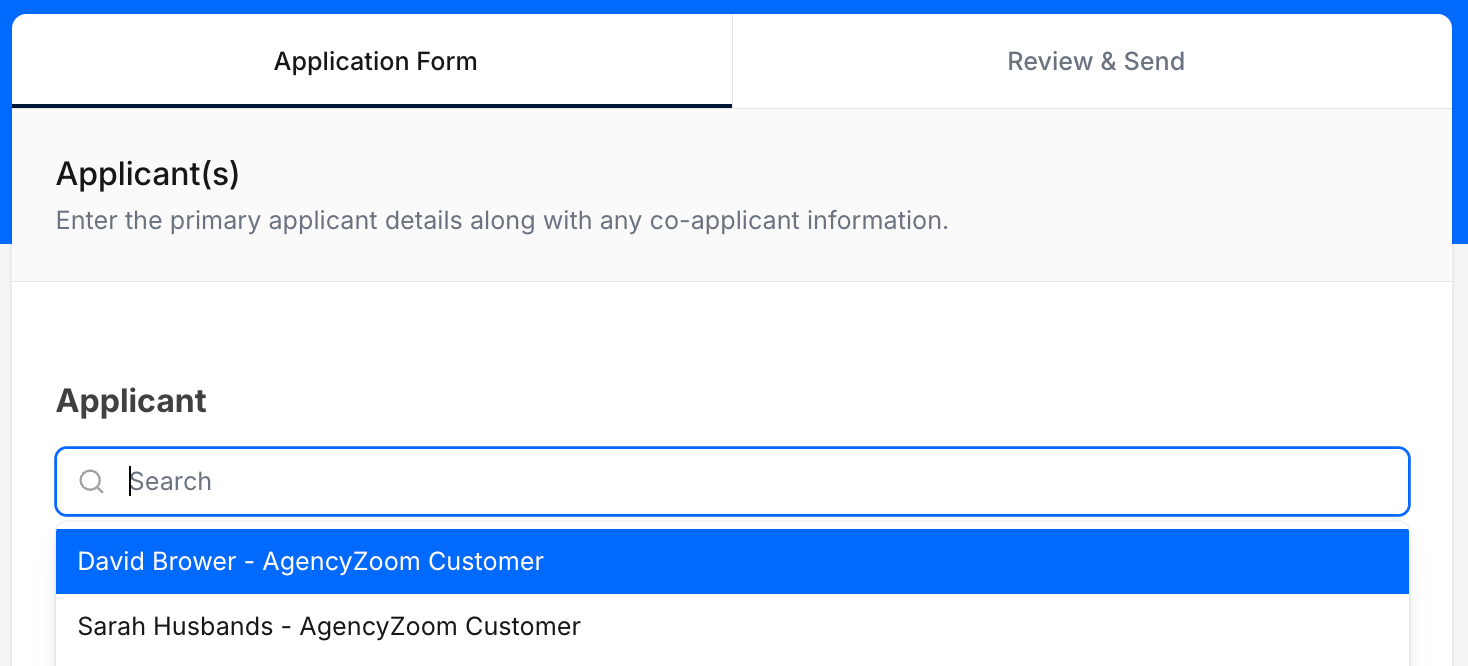
Within the RiskProfile applicant search field you can now see AgencyZoom Customers and Leads and utilize the additional information from these clients.

New fields returned to a RiskProfile when a lead is selected:

  • Birth Date

  • Marital Status

  • Notes/Comments

Applicant Search box with two AgencyZoom customers ready for a RiskProfile

Improved Policy & Dec Page UI 📑

We’ve rearranged the Policy & Dec Pages screen within the Client to better align with the new PolicyLink 2.0. You’ll now see Status results, PDF copies of the retrieved documents, and Vehicle and Driver Information that has been processed.

Viewing the new Policy & Dec Pages screen

Updated UI and Client Links in Form Abandonment emails 🍂

Utilizing Form Abandonment in your QuoteForms generates emails to your assigned agents that allows them to quickly follow up with clients and make sure you never miss a lead! Clicking the hyperlink in the client name to bring you directly to the client’s newly created Profile.
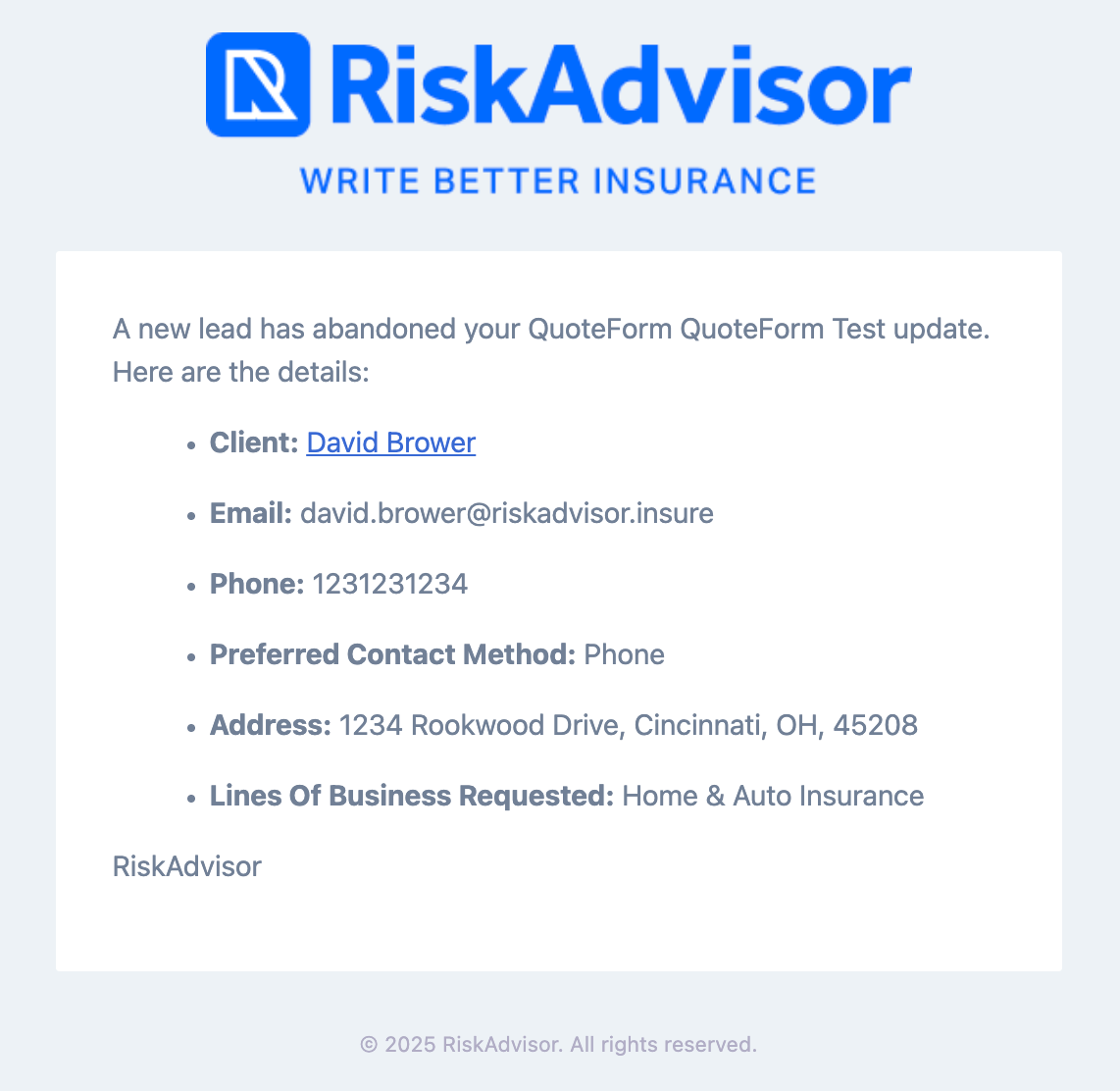
A Sample Form Abandonment Email

Bug Fixes & Minor Improvements 🐞

  • Improved results for EZLynx QuickSend

  • Fixed VIN lookup for 2026 Vehicles in EZLynx

  • AgencyZoom leads and Customers missing First or Last Name will now transfer

  • Rate Limiting has been enabled for QuoteForms protecting from bots

  • Several QuoteForm icons have been updated

  • PolicyLink can now create Co-applicants with First Name only

  • + other minor fixes!


Facebook User Group 🖥️

Join our Facebook User Group so that we can collaborate and help each other together.

Please join our User Group by following this link: RiskAdvisor User Group

What should we do next? 🚀

We know how important it is to build what you need so we are asking for you to actively vote for what you'd like to see us build next for RiskAdvisor! We are getting close to being able to focus on exactly what you vote on.
​
And guess what? You can upvote current requests or add new requests without even having to create an account!
​
Here are some items you can vote for or you can see everything up for vote here: RiskAdvisor Feedback

As always, if you have questions for us, please chat with our support team or visit 📖 Help
August Round Up: QuickSend for EZLynx, New PolicyLink Controls, Editable RiskProfiles, and more! // v3.2.5

TL;DR

  • QuickSend now works for EZLynx

  • Control document uploads on PolicyLink 2.0

  • Editable RiskProfiles

  • Combined PDF options for Proposals

  • Minor improvements & Bug fixes

QuickSend for EZLynx 🐈‍⬛

You all loved QuickSend for AgencyZoom and HawkSoft integrations so we’re back for round three of QuickSend - this time for EZLynx!

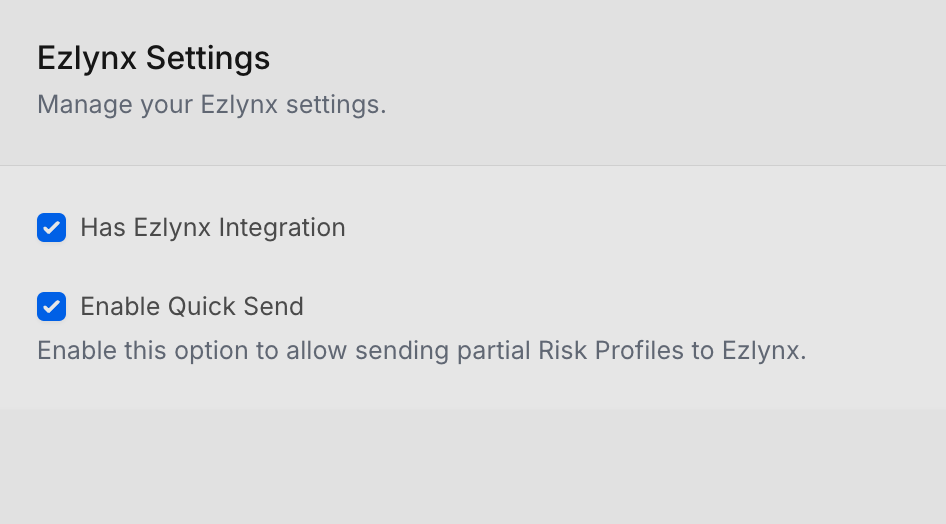
Go into Settings → Integrations → EZLynx and make sure QuickSend is enabled.

EZlynx integration settings page

Once enabled, you’ll see the “Quick Send” button at the bottom of your RiskProfile. You’ll need the following minimum fields filled:

  • First Name

  • Last Name

  • Email or Phone Number

  • Line of Business: Auto or Home

Clicking on the Quick Send button will bring up a modal confirming some information:

QuickSend Modal with options for EZLynx

For more information, check out the help article

New File Upload Controls for PolicyLink 🔗

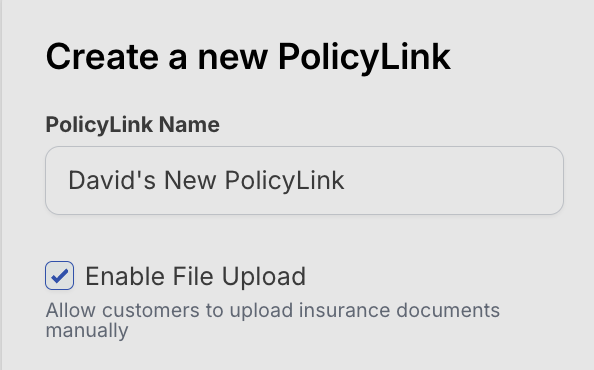
If your agency prefers your clients connect directly to their insurance carriers instead of uploading their own documents, you can now disable manual file uploads. We’re making sure your PolicyLinks are set up the way that your agency does business.

Editable RiskProfiles ↩️

RiskProfiles can now be edited - even if they’ve been sent! You’ll see a note below the name of your RiskProfile indicating which one it has been edited from - perfect for tracking changes over time.

Editing a sent RiskProfile

Combined PDF Option for Proposals 📚

Easily get all your proposal documents for Home, Auto, and Umbrella in one convenient PDF. Click the options menu and “View Full PDF” for a combined view of all lines of business associated with your proposal.

View Full PDF option in the Client Proposals tab

Bug Fixes & Minor Improvements 🐞

  • Fixed an issue resulting in duplicate RiskProfiles on new RiskProfile creation

  • Improved reliability for Gaya integration

  • Allow larger file attachments for RiskProfiles

  • Improved edit functionality for RiskProfiles that have been delivered

  • Mitigated an issue with 2026 model year vehicles not sending to EZLynx

  • New validation for vehicle editing on QuoteForms

  • + other minor fixes!


Facebook User Group 🖥️

Join our Facebook User Group so that we can collaborate and help each other together.

Please join our User Group by following this link: RiskAdvisor User Group

What should we do next? 🚀

We know how important it is to build what you need so we are asking for you to actively vote for what you'd like to see us build next for RiskAdvisor! We are getting close to being able to focus on exactly what you vote on.
​
And guess what? You can upvote current requests or add new requests without even having to create an account!
​
Here are some items you can vote for or you can see everything up for vote here: RiskAdvisor Feedback

As always, if you have questions for us, please chat with our support team or visit 📖 Help

This Month’s Blog Posts ✍🏻

How to Get 20 5-Star Google Reviews This Month

Why Online Raters Can Hurt Conversions

What's New in v3.2.2 - Release Notes 7/18/2025

Editable PolicyLinks ⛓️

PolicyLinks can now be edited - Click the gear icon under your PolicyLink dashboard to view submissions and edit options for each PolicyLink

Additional submission emails for QuoteForms 📝

Users can now set additional emails the receive submission emails in the QuoteForm settings page. Go to QuoteForms > Settings (Gear Icon) > “Send Submission Email to” and then select the emails you’d like to send submission emails to.

Bug Fixes & Minor Updates 🪲

  • Updates to logo sizes on QuoteForms to improve UI/UX for mobile and desktop

  • PolicyLink data field improvements

  • Larger file attachments are now accepted on RiskProfiles above 5 MB

  • + other minor fixes

👍 Join our Facebook User Group
💡 Give us Feedback
🎉 Latest Changes
📖 Help

We appreciate your ongoing feedback and support as we continue to improve and evolve your RiskAdvisor experience! 👏 More updates and innovations to come!

As always, if you have questions for us, please chat with our support team.

Earlier updates