August Round Up: QuickSend for EZLynx, New PolicyLink Controls, Editable RiskProfiles, and more! // v3.2.5
TL;DR
QuickSend now works for EZLynx
Control document uploads on PolicyLink 2.0
Editable RiskProfiles
Combined PDF options for Proposals
Minor improvements & Bug fixes
QuickSend for EZLynx 🐈⬛
You all loved QuickSend for AgencyZoom and HawkSoft integrations so we’re back for round three of QuickSend - this time for EZLynx!
Go into Settings → Integrations → EZLynx and make sure QuickSend is enabled.
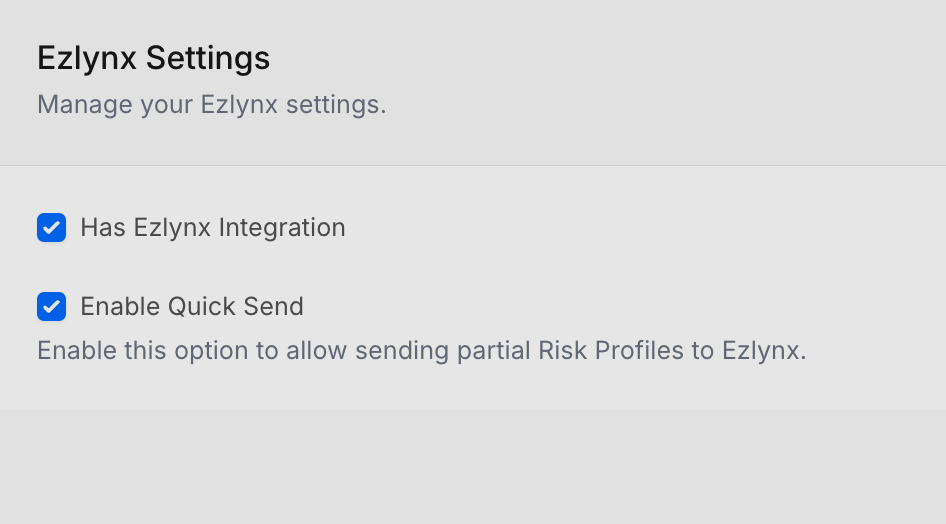
EZlynx integration settings page
Once enabled, you’ll see the “Quick Send” button at the bottom of your RiskProfile. You’ll need the following minimum fields filled:
First Name
Last Name
Email or Phone Number
Line of Business: Auto or Home
Clicking on the Quick Send button will bring up a modal confirming some information:
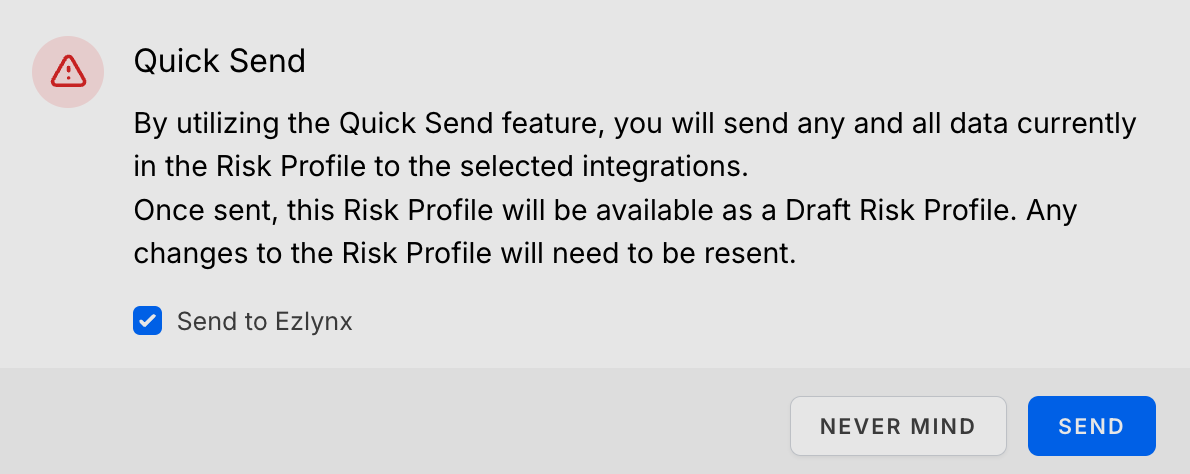
QuickSend Modal with options for EZLynx
For more information, check out the help article
New File Upload Controls for PolicyLink 🔗
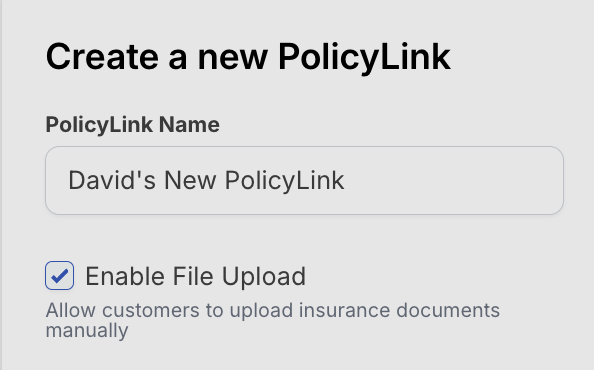
If your agency prefers your clients connect directly to their insurance carriers instead of uploading their own documents, you can now disable manual file uploads. We’re making sure your PolicyLinks are set up the way that your agency does business.
Editable RiskProfiles ↩️
RiskProfiles can now be edited - even if they’ve been sent! You’ll see a note below the name of your RiskProfile indicating which one it has been edited from - perfect for tracking changes over time.
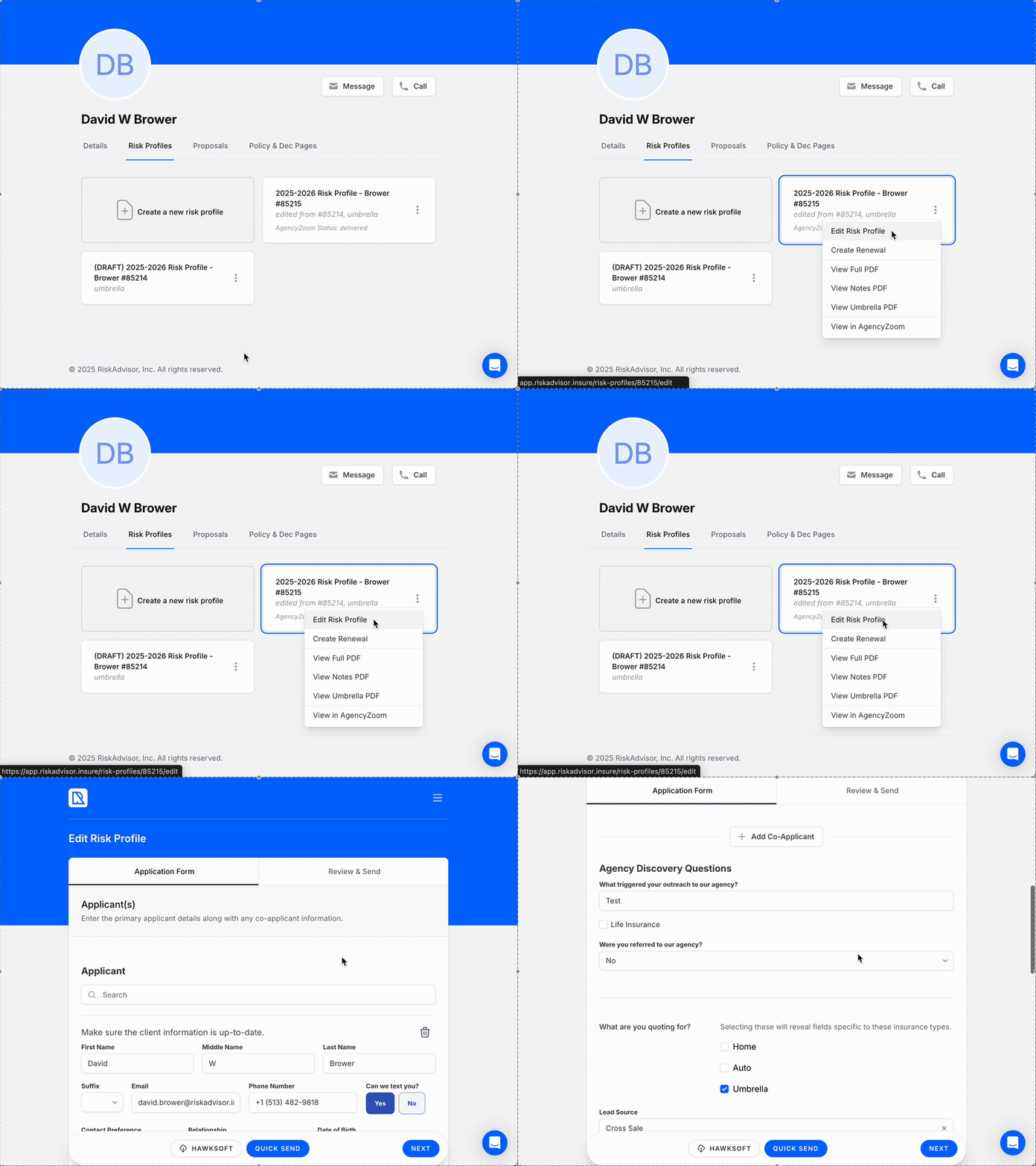
Editing a sent RiskProfile
Combined PDF Option for Proposals 📚
Easily get all your proposal documents for Home, Auto, and Umbrella in one convenient PDF. Click the options menu and “View Full PDF” for a combined view of all lines of business associated with your proposal.
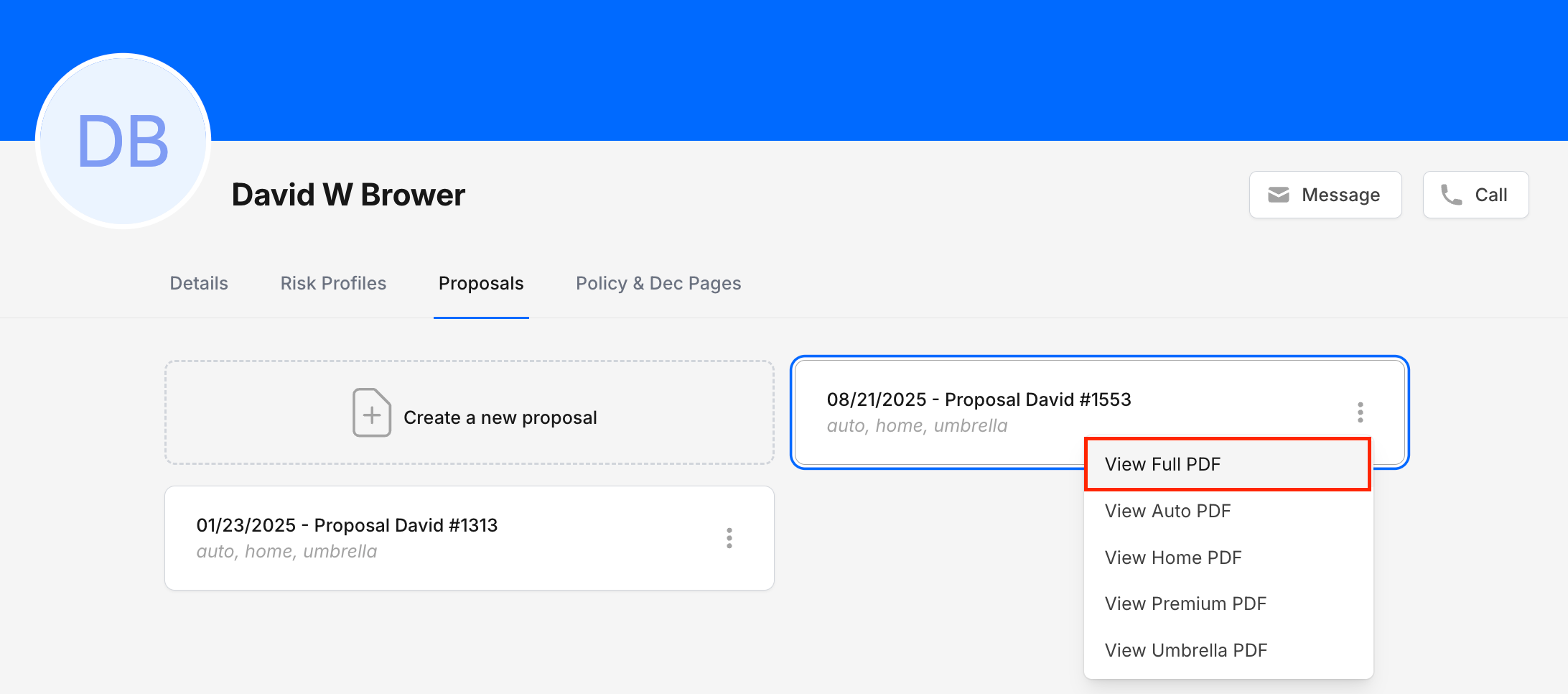
View Full PDF option in the Client Proposals tab
Bug Fixes & Minor Improvements 🐞
Fixed an issue resulting in duplicate RiskProfiles on new RiskProfile creation
Improved reliability for Gaya integration
Allow larger file attachments for RiskProfiles
Improved edit functionality for RiskProfiles that have been delivered
Mitigated an issue with 2026 model year vehicles not sending to EZLynx
New validation for vehicle editing on QuoteForms
+ other minor fixes!
Facebook User Group 🖥️
Join our Facebook User Group so that we can collaborate and help each other together.
Please join our User Group by following this link: RiskAdvisor User Group
What should we do next? 🚀
We know how important it is to build what you need so we are asking for you to actively vote for what you'd like to see us build next for RiskAdvisor! We are getting close to being able to focus on exactly what you vote on.
And guess what? You can upvote current requests or add new requests without even having to create an account!
Here are some items you can vote for or you can see everything up for vote here: RiskAdvisor Feedback
As always, if you have questions for us, please chat with our support team or visit 📖 Help
This Month’s Blog Posts ✍🏻

How to Get 20 5-Star Google Reviews This Month