Changelog

Follow new updates and improvements to RiskAdvisor.

November Round Up: UnderwritingAI Improvements, QuoteForm Customizations, and more! // v3.3.3
🦃 Happy Thanksgiving to all those who celebrate. As the weather gets colder check out these pretty cool features from our November Round Up! ☃️

UnderwritingAI 🧠

New Models - UnderwritingAI has gotten faster and smarter! We’ve seen an increase in the accuracy and speed of underwriting rules we can pull from your underwriting guidelines

New Rule Types Available:

  • Residence Type

  • Dog-related fields

  • County

You can opt in to UnderwritingAI in Settings → UnderwritingAI

Check out the help articles here if you have more questions: UnderwritingAI Setup Guide (Beta)

Validation Override 👍

We’ve added the option for an agency to decide if the required information can be bypassed by their users. Enabling Validation Override allows the agent to move forward even when certain fields are missing or invalid.

Validation Override in Agency Settings

To enable Validation Override, Admins can visit the Settings → Agency → Validation Override → Check to allow and save

QuoteForms Updates 📝

We’ve heard you loud and clear - more customizations to your QuoteForms are now available!

Custom Logos

Custom Logos are available on a per-QuoteForm Basis. You can choose a file to upload on the QuoteForm Settings to apply a specific logo to that QuoteForm.

Add support for Custom Logo upload per QuoteForm

Upload option for Custom Logo in QuoteForm Settings

AgencyZoom Options per-QuoteForm

In the spirit of QuoteForm Customization, we know that you don’t always want the same result from submissions. Now you can control integrations independently on the QuoteForm Settings.

Toggle for AgencyZoom Integration on QuoteForm Settings

EZLynx Integration Settings per-QuoteForm

Just like with AgencyZoom, you can dictate if you want each submission to automatically move to EZLynx or stay within RiskAdvisor for your workflow. You can access these options in your QuoteForm Settings

EZlynx Settings on QuoteForm Settings

State Restrictions

If your agency only writes in a select state(s) and want to make sure customers don’t waste time filling out ineligible forms, you can enable state restrictions on certain QuoteForms. Enabling state restrictions allows you to control the submissions coming into the agency and make sure the leads are pre-vetted on location

Add state selection step in QuoteForm

State Restriction Options in QuoteForm Settings

Address Structure Updates

RiskAdvisor QuoteForms now have an improved UI/UX for Address. Clients can choose to search and prefill the address using the top box or manually enter their address details below.
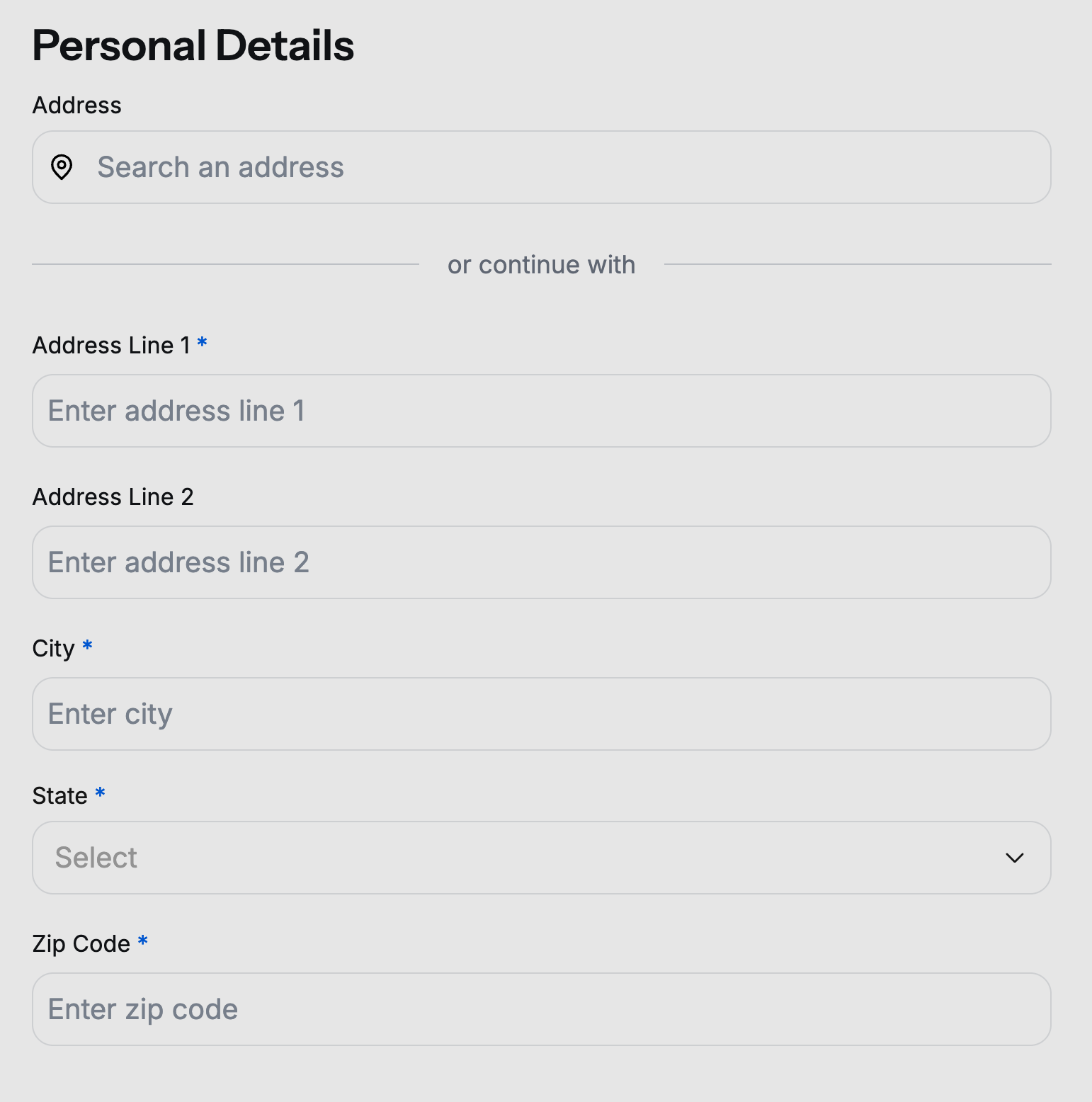
QuoteForms Address Page

Bug Fixes & Minor Improvements 🐞


Facebook User Group 🖥️

Join our Facebook User Group so that we can collaborate and help each other.

Please join our User Group by following this link: RiskAdvisor User Group

What should we do next? 🚀

We know how important it is to build what you need so we are asking for you to actively vote for what you'd like to see us build next for RiskAdvisor! We are getting close to being able to focus on exactly what you vote on.
​
And guess what? You can upvote current requests or add new requests without even having to create an account!
​
Here are some items you can vote for or you can see everything up for vote here: RiskAdvisor Feedback

As always, if you have questions for us, please chat with our support team or visit 📖 Help
September Round Up: Underwriting AI Sneak Peek, Condo, Renters, and Mobile Homes, EZLynx Sync, AgencyZoom Lead Data, and more! // v3.2.7

Underwriting AI Sneak Peek 👀

RiskAdvisor is excited to show you something we’ve been working on for a while - Sign up for our webinar for the latest information on our new Underwriting AI: Webinar Registration

Condo, Renters, and Mobile for RiskProfiles 🏢

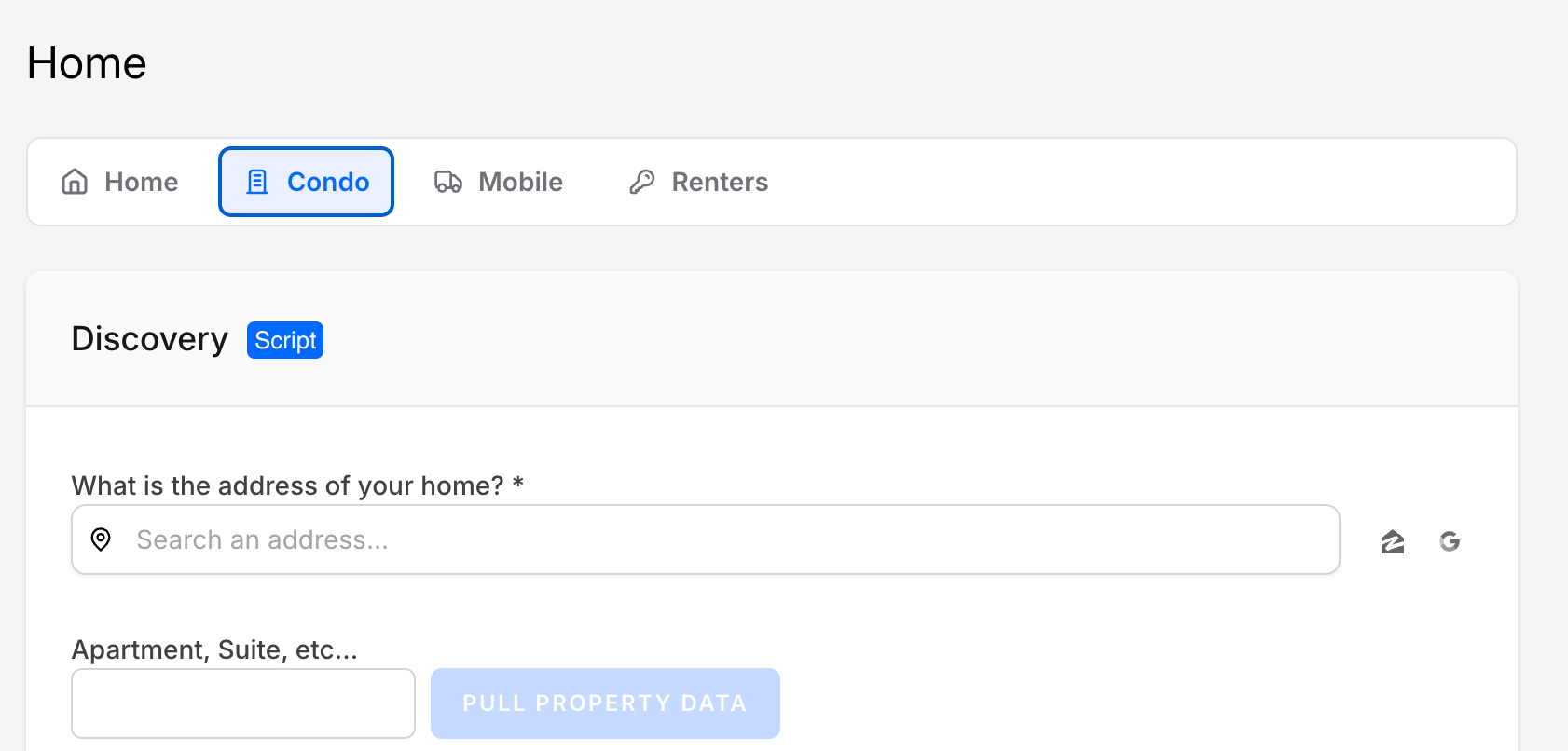
Condo, Renters, and Mobile are now available as options for RiskProfiles. Selecting one of the options displays different question sets that are relevant to your client’s RiskProfile.

Condo option selected in the “Home” section in a RiskProfile

EZLynx Client Sync

Worried about duplicating efforts or entering data you might already have in EZLynx? Now you can see any matching contacts from EZLynx and load their data into your Applicant Details. Note: EZLynx integration must be enabled

EZLynx Sync Integrations options with dropdown expanded

Additional AgencyZoom Lead Data 🔁

Within the RiskProfile applicant search field you can now see AgencyZoom Customers and Leads and utilize the additional information from these clients.

New fields returned to a RiskProfile when a lead is selected:

  • Birth Date

  • Marital Status

  • Notes/Comments

Applicant Search box with two AgencyZoom customers ready for a RiskProfile

Improved Policy & Dec Page UI 📑

We’ve rearranged the Policy & Dec Pages screen within the Client to better align with the new PolicyLink 2.0. You’ll now see Status results, PDF copies of the retrieved documents, and Vehicle and Driver Information that has been processed.

Viewing the new Policy & Dec Pages screen

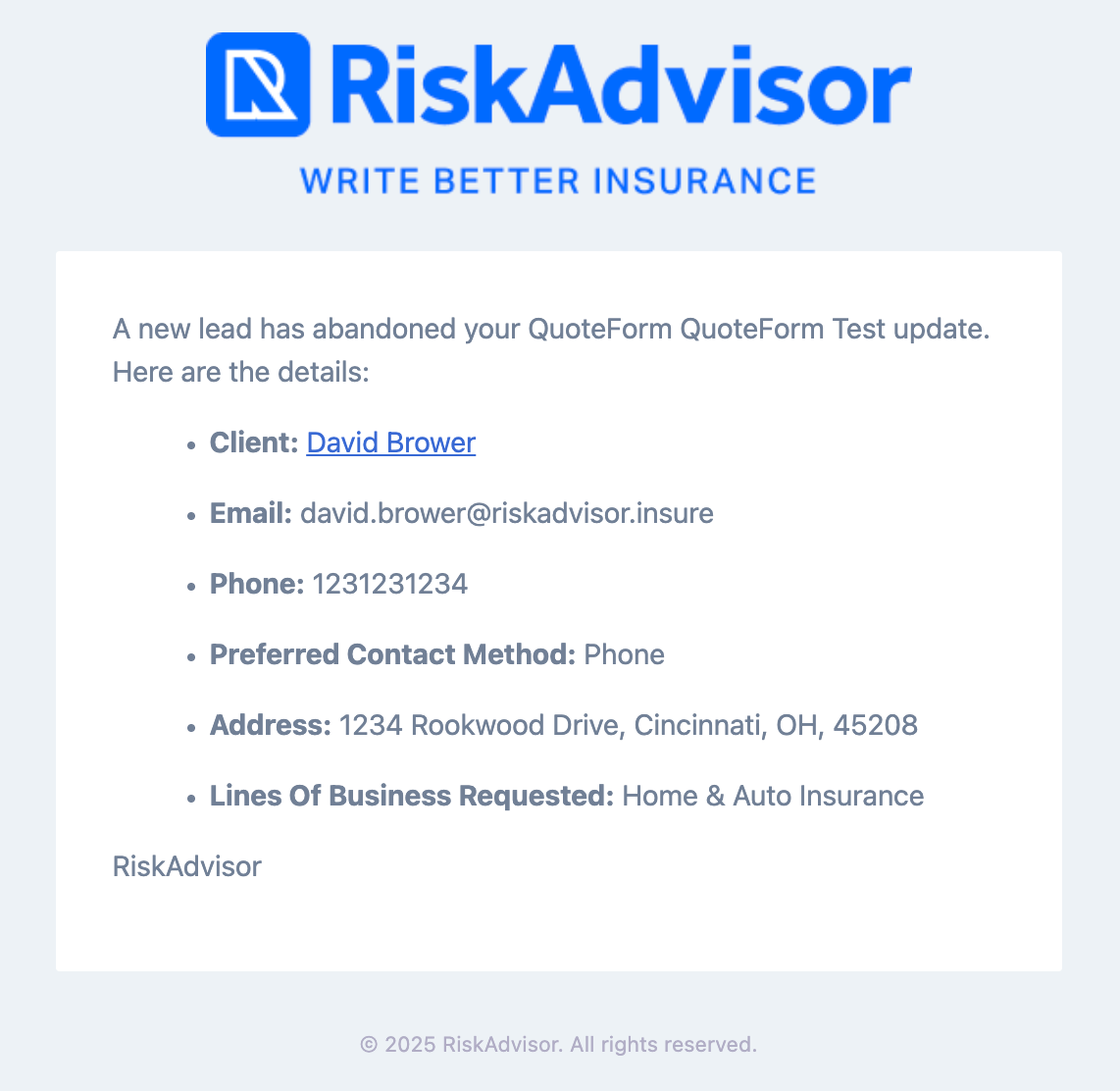
Updated UI and Client Links in Form Abandonment emails 🍂

Utilizing Form Abandonment in your QuoteForms generates emails to your assigned agents that allows them to quickly follow up with clients and make sure you never miss a lead! Clicking the hyperlink in the client name to bring you directly to the client’s newly created Profile.

A Sample Form Abandonment Email

Bug Fixes & Minor Improvements 🐞

  • Bug for tickets & violations in drivers section has been fixed

  • Fixed an issue related to downloading HawkSoft documents after a RiskProfile has been sent.

  • Increased size restrictions for PDF documents to handle larger files

  • QuoteForms submissions now sort by most recent first

  • Improved results for EZLynx QuickSend

  • Fixed VIN lookup for 2026 Vehicles in EZLynx

  • AgencyZoom leads and Customers missing First or Last Name will now transfer

  • Rate Limiting has been enabled for QuoteForms protecting from bots

  • Several QuoteForm icons have been updated

  • PolicyLink can now create Co-applicants with First Name only

  • + other improvements!


Facebook User Group 🖥️

Join our Facebook User Group so that we can collaborate and help each other.

Please join our User Group by following this link: RiskAdvisor User Group

What should we do next? 🚀

We know how important it is to build what you need so we are asking for you to actively vote for what you'd like to see us build next for RiskAdvisor! We are getting close to being able to focus on exactly what you vote on.
​
And guess what? You can upvote current requests or add new requests without even having to create an account!
​
Here are some items you can vote for or you can see everything up for vote here: RiskAdvisor Feedback

As always, if you have questions for us, please chat with our support team or visit 📖 Help

This Month’s Blog Posts ✍🏻

Trust First: A Quote Flow That Converts

Friendly insurance advisor sitting at a desk in a bright office, hands clasped, laptop and notepad visible

Stop Writing Everyone

Stop Writing Everyone

March Round-Up: QuickSend, Form Abandonment, UI/UX Improvements, Giveaway & More

TL;DR

  • QuickSend to AgencyZoom & Gaya

  • Form Abandonment Notifications for QuoteForms

  • UI/UX Improvements

  • CIC Giveway

  • BrokerTech Ventures

  • Facebook User Group

  • What should we do next?

QuickSend to AgencyZoom & Gaya

QuickSend allows users to send RiskProfiles to Gaya AI’s Super Copy and AgencyZoom with the minimum required information, enabling you to quickly create leads and opportunities—even when you don’t have time to complete a full RiskProfile. Make sure every client makes it to your integrated systems and gets your producers working faster.

Form Abandonment Notifications 🔔

Get emails right to your inbox when a lead has abandoned a QuoteForm! Jump right into a conversation with your leads via their preferred method of contact and start the intake process.

UI/UX Improvements

Customizable view for Drivers and Vehicles 🚙

Whether you’re a vertical or side scroller, you can now view drivers and vehicles in your preferred format by selecting the toggle at the top of each section.

Updated Scrolling methods 🧑‍💻

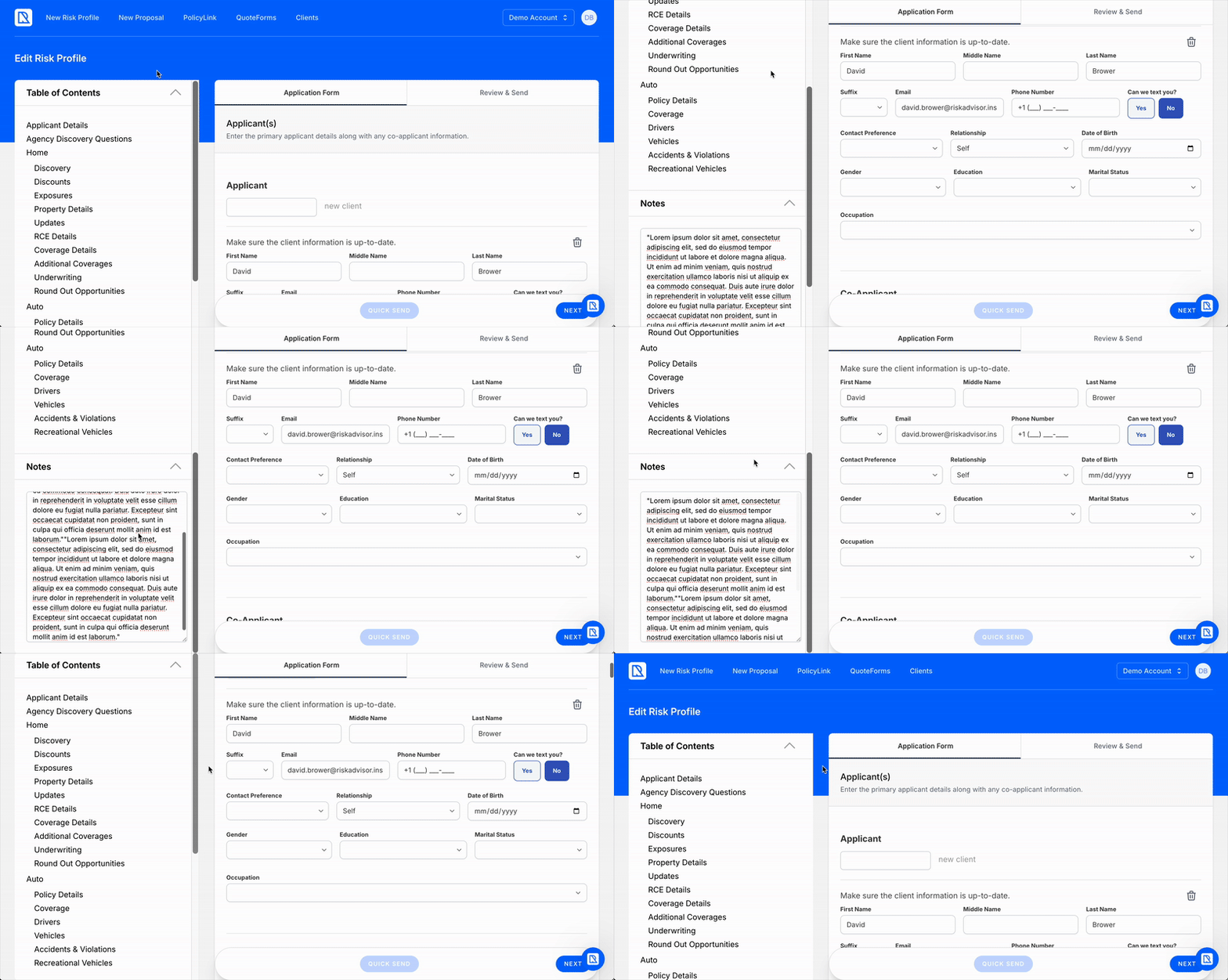
We’ve heard you like to take a lot of notes, so we made it more seamless to scroll each section of a RiskProfile. Now you can view your RiskProfile, side bars, and all of your notes with ease!

CIC Giveaway

Earn Your CIC on RiskAdvisor with our April Giveaway!

We are giving away an Advanced Subscription to the Risk & Insurance Education Alliance.

🔗 Check out this page to learn more about how to enter:
https://riskadvisor.insure/cic-giveaway/

BrokerTech Ventures

BrokerTech Ventures has selected RiskAdvisor as a member of the 2025 Accelerator Cohort!

There will be more than we share along the way but check out David’s LinkedIn post to hear some of his thoughts on this amazing honor: LinkedIn Post

Facebook User Group 🖥️

We are officially launching our Facebook User Group so that we can collaborate and help each other together.

Please join our User Group by following this link: RiskAdvisor User Group

What should we do next? 🚀

We know how important it is to build what you need so we are asking for you to actively vote for what you'd like to see us build next for RiskAdvisor! We are getting close to being able to focus on exactly what you vote on.
​
And guess what? You can upvote current requests or add new requests without even having to create an account!
​
Here are some items you can vote for or you can see everything up for vote here: RiskAdvisor Feedback

Roadmap 🛣️

In addition to our Feedback board, please make sure to visit our Roadmap.
​
This is a great place to see what is planned and what is currently In Progress.
​
Don't forget to vote 🗳️